Features / Browser extension
A browser extension that saves words from any page
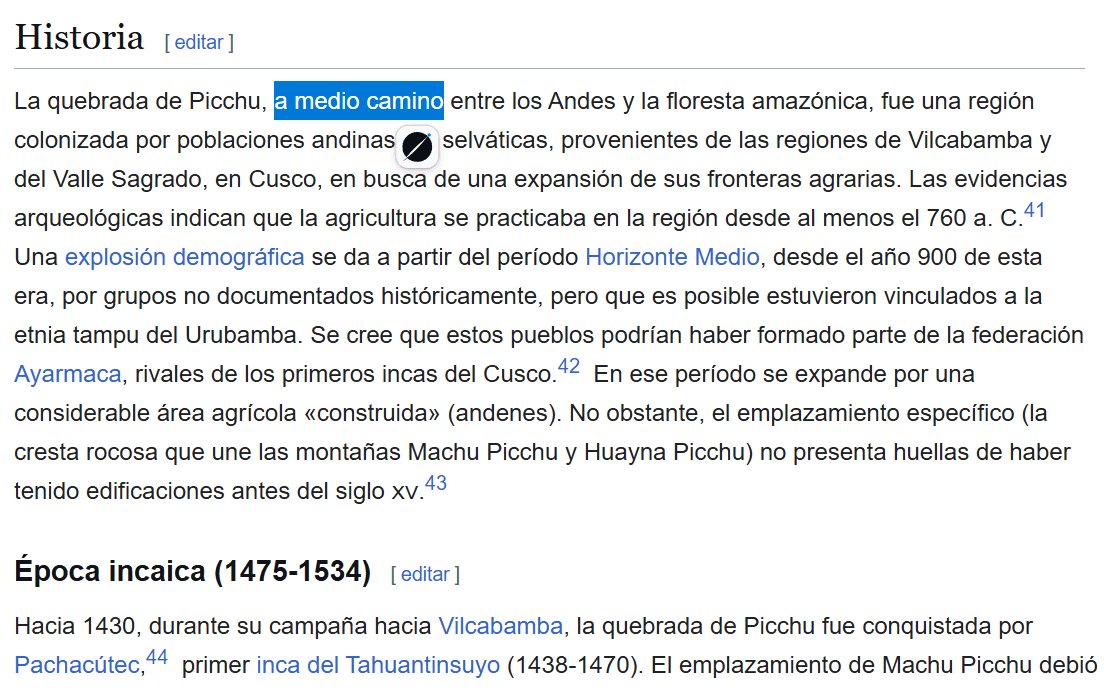
Select a word or phrase while you are reading. A small button appears next to the selection — one click and it is in your library, with the sentence it came from attached.
How does the browser extension work?
Select text on a page and a small button shows up beside it. Click it and the phrase is saved, together with the sentence around it and the page it came from. You can pick which collection it lands in as you save.
That sentence is what the card is built for. A word with five dictionary senses comes back explained in the one you actually met, instead of the one that happens to be most common.
Select
Highlight a word or phrase anywhere on the page. A small button appears next to the selection.
Save
One click. The sentence around it goes along with the phrase, and you can choose a target collection.
Review later
The finished card is waiting in the web app, scheduled for review.
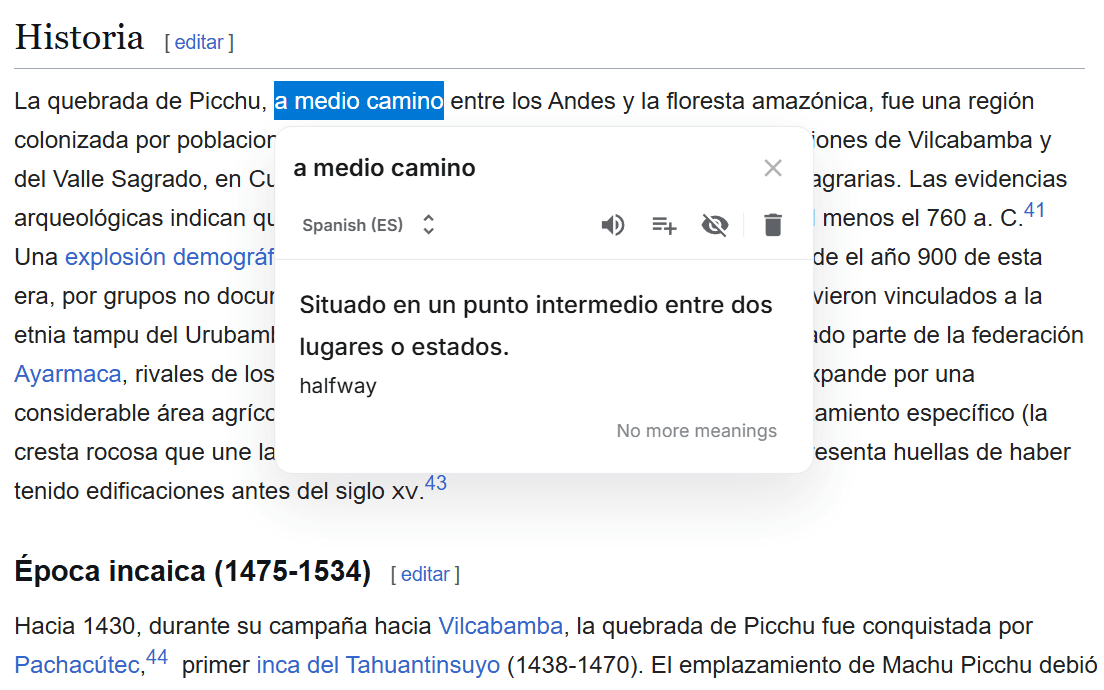
What happens right after you save?
A panel opens next to your selection with the essentials first — the meaning, in the sense the sentence used it, and its translation — so you can read on without a detour. The rest of the card, further meanings, example sentences, pronunciation and audio, finishes in the background and is ready in the app.
The extension is the capture surface. Your library, your collections and flashcard review all live in the web app, and one sign-in covers both — sign in once and you stay signed in.
Where does it work?
Any site. News articles, Reddit threads, blogs, YouTube pages with subtitles — if you can select the text, you can save it. The panel carries its own styling, so it does not pick up the page's fonts and colors and does not disturb the page's layout.
It runs on Chrome, Edge and Brave, and on Firefox — installable from the Chrome Web Store and from the Mozilla add-ons site.
Common questions
Does it work on any website?
Yes, on any page where you can select text — articles, forums, blogs, YouTube pages with subtitles. The panel keeps its own styling and leaves the page it sits on alone.
What exactly gets saved?
The phrase, the sentence around it, and the page it came from. All three show up later in the phrase details, so you can see where a word entered your library.
Which browsers are supported?
Chrome, Edge, Brave and Firefox. Install it from the Chrome Web Store or from the Mozilla add-ons site.
Do I need a separate account?
No. It is the same sign-in as the web app, and it carries over — sign in once and the extension stays signed in.