Features / Bulk import
Bulk import from a list, a file, or a whole article
Paste a list, upload a CSV or a subtitle file, or drop in an article and let AI pick out what is worth learning. Nothing is saved until you have reviewed the candidates yourself.
What can you import?
A plain list works — one phrase per line. A CSV works too: first column the phrase, an optional second column for context, header row detected on its own. You can upload .txt or .csv files, or drag and drop them.
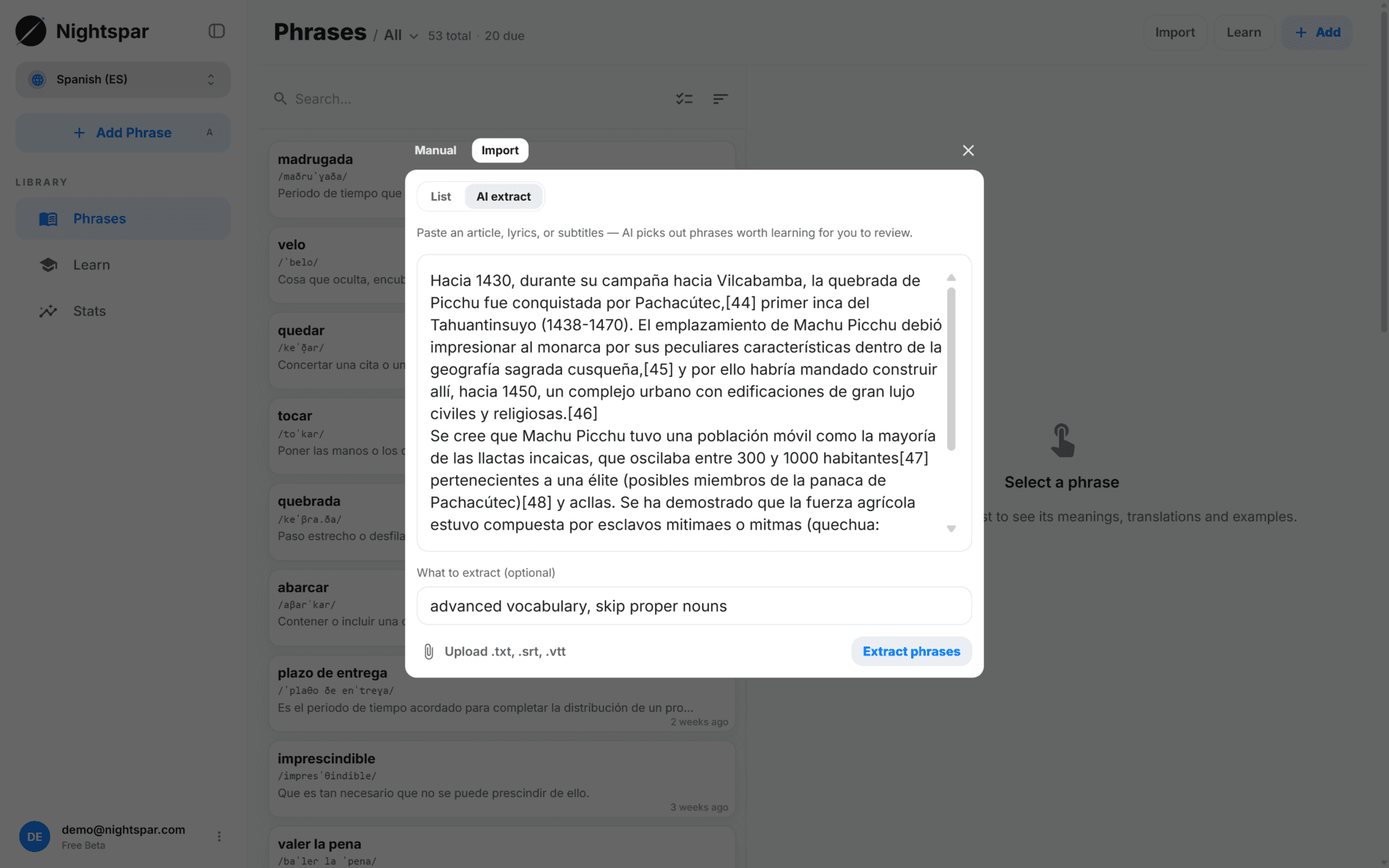
Or paste something that is not a list at all — an article, a chat log, a page of notes. AI extraction picks out the words and phrases worth learning. Subtitle files (.srt and .vtt) go the same way: the formatting is stripped first, then the same extraction runs.
An instruction field gives you a say in what comes out. "Only cooking vocabulary", "advanced words only" — the extraction follows it.
How does an import run?
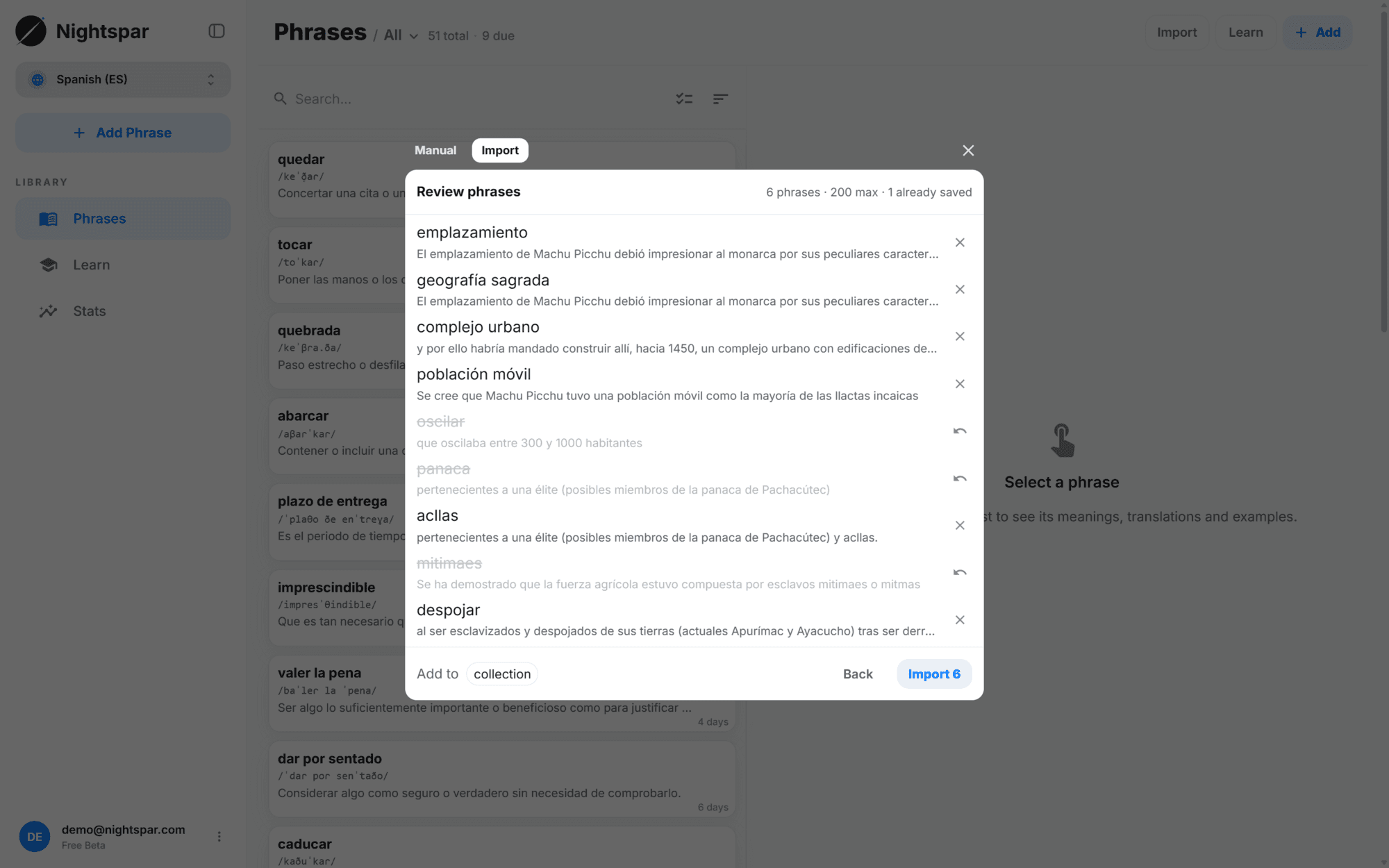
The candidate list is editable: fix a phrase, toggle off the ones you do not want, restore them if you change your mind. The import starts when you confirm.
From there it runs in the background — keep browsing, keep reviewing. Progress is visible, and a summary appears at the end. Every item gets its own outcome: added, already in your library, rejected (it did not read as a real phrase, or came through in the wrong language), or failed. One bad entry never fails the import.
Everything added is built out like any other phrase — meanings for its context, translations, IPA, examples, audio — and lands in the collection you picked.
Paste or upload
A list, a CSV, an article, or a subtitle file. Pick a target collection if you want one.
Review the candidates
Edit the list, toggle off what you do not want, restore what you change your mind about.
Confirm and carry on
The import runs in the background and reports on every phrase when it is done.
How much can you import at once?
Up to 200 phrases per import; the review step tells you when a list is over and has to be split in two. Pasted text is read up to 100,000 characters. Ten imports a day.
Imports are paced to keep the service stable, so a big one takes minutes rather than seconds.
Common questions
Can I import my Anki deck?
Not directly yet. Export the deck to plain text or CSV and import that — Nightspar rebuilds the card content itself rather than copying over Anki's fields.
What does AI extraction actually pick?
The words and phrases worth learning out of whatever you paste, with the sentence around each one. Narrow it with the instruction field; correct it in the review step.
Do duplicates get re-added?
No. Anything already in your library comes back marked as already saved and is skipped.
Does the context come along?
Yes. In a CSV it is the optional second column; in pasted text it is the sentence around the phrase. That context is what the meanings are built for.