Features / Smart collections
Smart collections that keep themselves updated
Describe a collection in plain words — "phrasal verbs", "food and cooking", "words from my chemistry course". The matching phrases from your library are gathered for you, and new saves join as your library grows.
How do smart collections work?
Give a collection a description, turn it on, and it starts filling itself. Matching is by meaning, not keywords: a collection described as "feelings and emotions" catches abatido even though the word "emotion" appears nowhere in it. An AI pass then checks every candidate against your description, so near-misses stay out.
The description does not have to be in the language you are learning — describe in English, match Spanish phrases.
Describe it
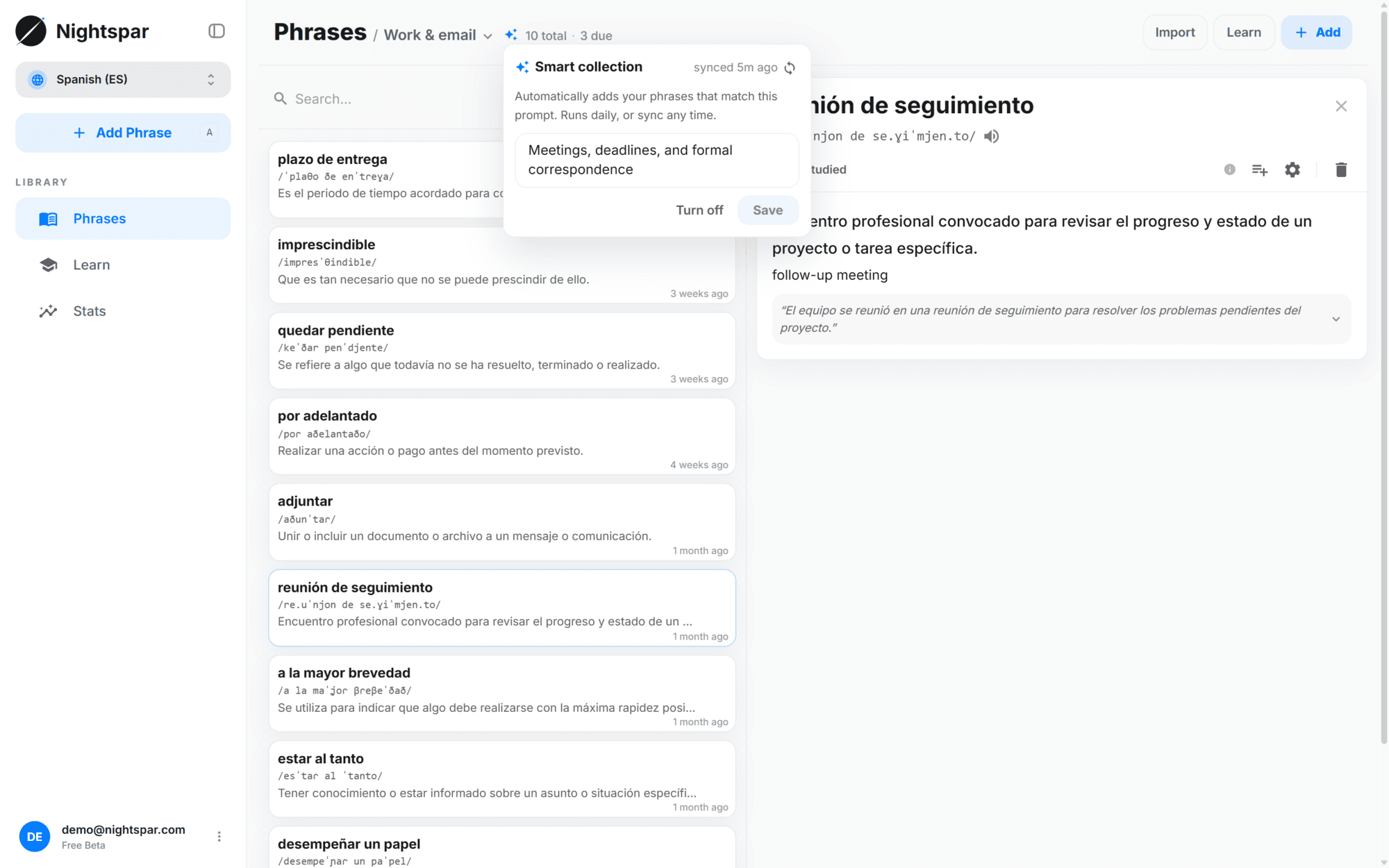
Create a collection, write what belongs in it, and turn smart matching on. One sentence is enough.
It fills itself
Matching phrases already in your library are pulled in automatically.
It keeps up
New phrases you save are checked once a day and added when they fit. You can also run a sync yourself at any moment.
You stay in control
Syncs only ever add — nothing is removed behind your back. If you take a phrase out of a smart collection, it stays out: future syncs remember the removal and will not pull it back in. Adding it back by hand clears that memory.
Edit the description whenever you like. The collection re-syncs against the new wording without dropping what is already there.
Regular collections work exactly as before. Smart is a setting you turn on per collection, not a separate kind of collection.
Review by collection
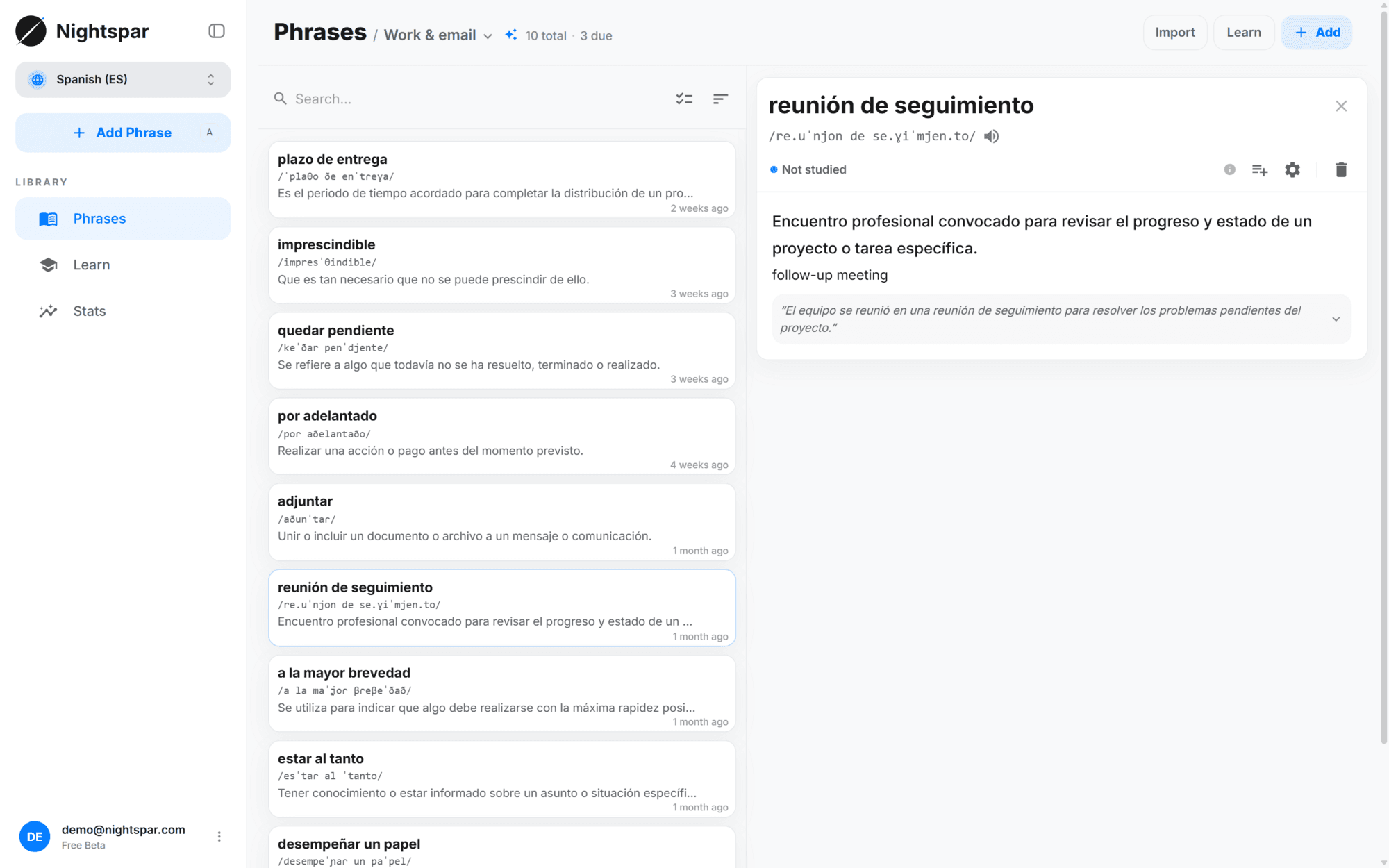
Any collection, smart or not, can filter your flashcard queue — the week an interview matters, review only your "job interview prep" collection and nothing else.
Common questions
How often do smart collections update?
Once a day automatically, and you can trigger a sync yourself whenever you want an immediate pass.
What happens when I remove a phrase from a smart collection?
It stays removed. The collection remembers the exclusion, so future syncs will not add that phrase again. Re-adding it manually clears the exclusion.
Is the matching keyword-based?
No — phrases are matched to your description by meaning, and an AI filter then double-checks each candidate. A collection described as "phrasal verbs" does not fill up with everything that happens to contain a preposition.
How many smart collections can I have?
Five during the free beta. Regular collections are unlimited — the cap is only on the ones that keep matching for you, since every sync costs AI work.
Can I make an existing collection smart?
Yes. Open the collection, add a description, and turn it on. Turning it off later keeps every phrase that was gathered.